How It Works
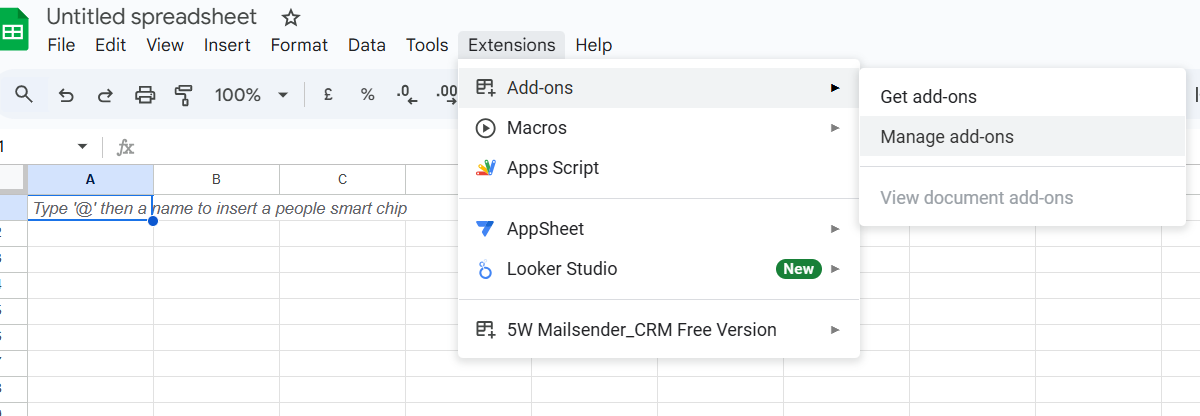
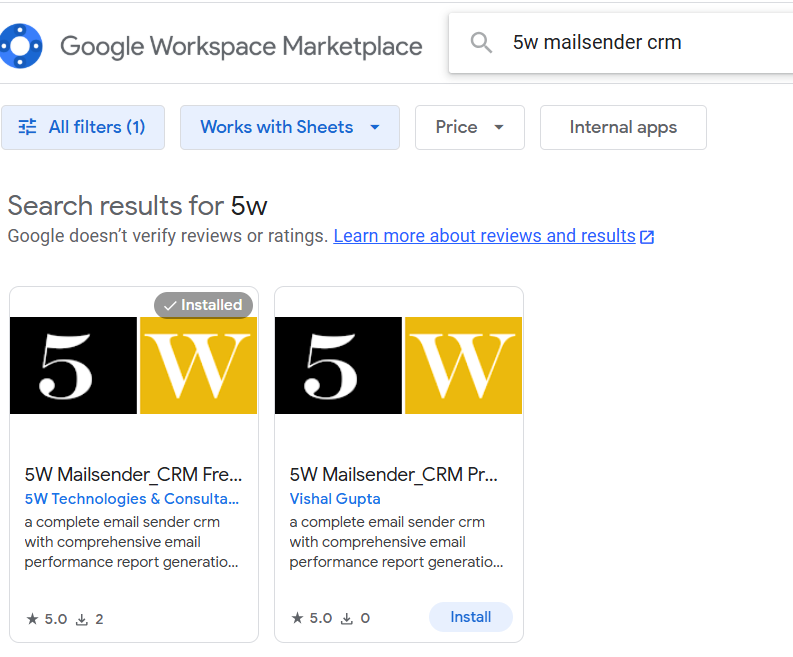
Step 1: Install 5W MailSender CRM
Open your Google Sheet and go to Extensions > Add-ons > Get Add-ons.
Then search for "5W MailSender CRM" in the Marketplace and install it.
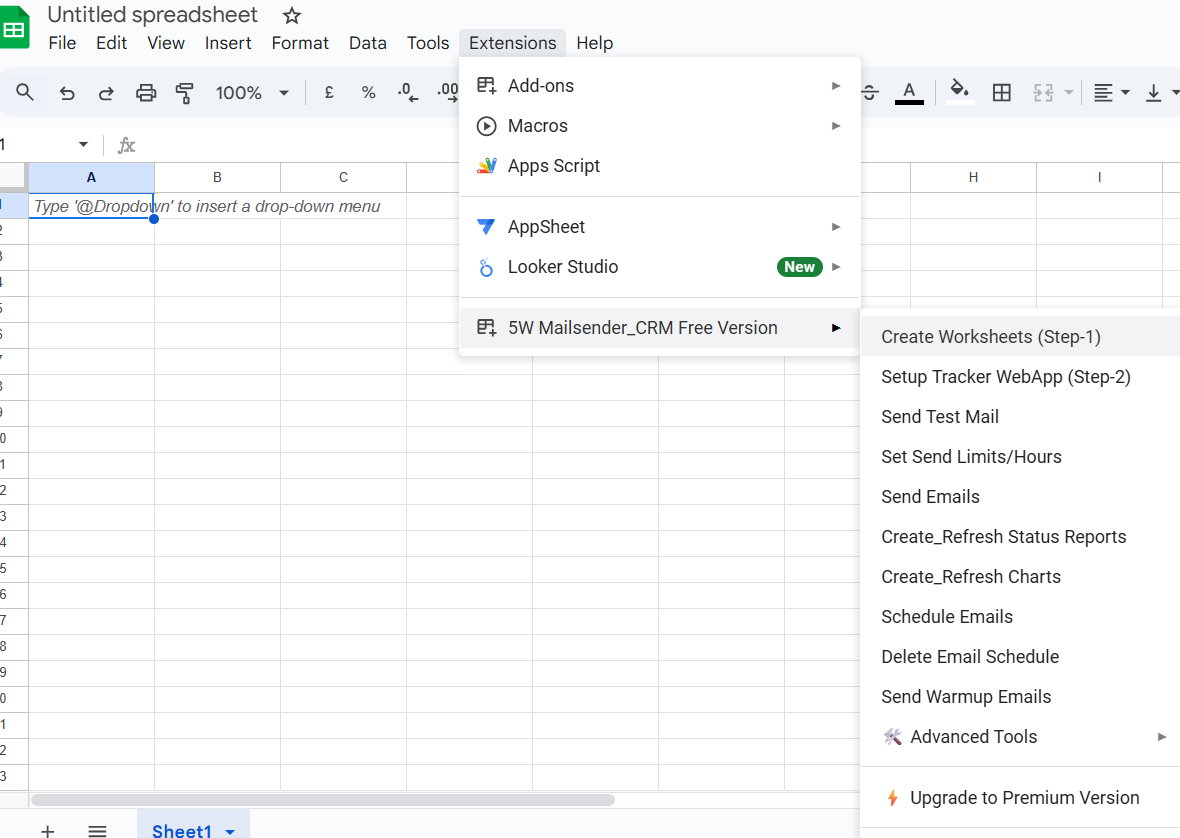
Step 2: Create Worksheets
Go to Extensions > 5W MailSender_CRM > Create Worksheets to generate all necessary sheets automatically.
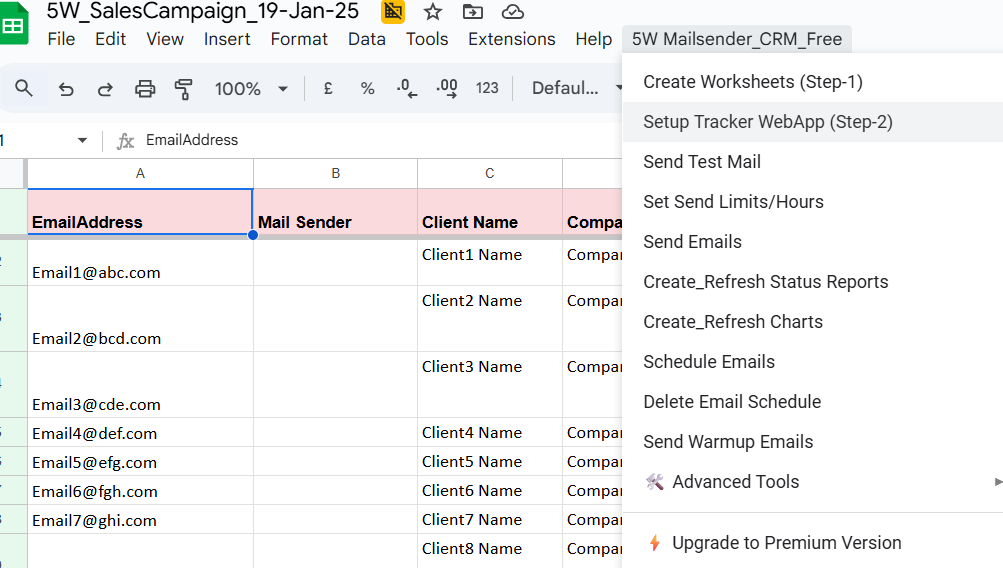
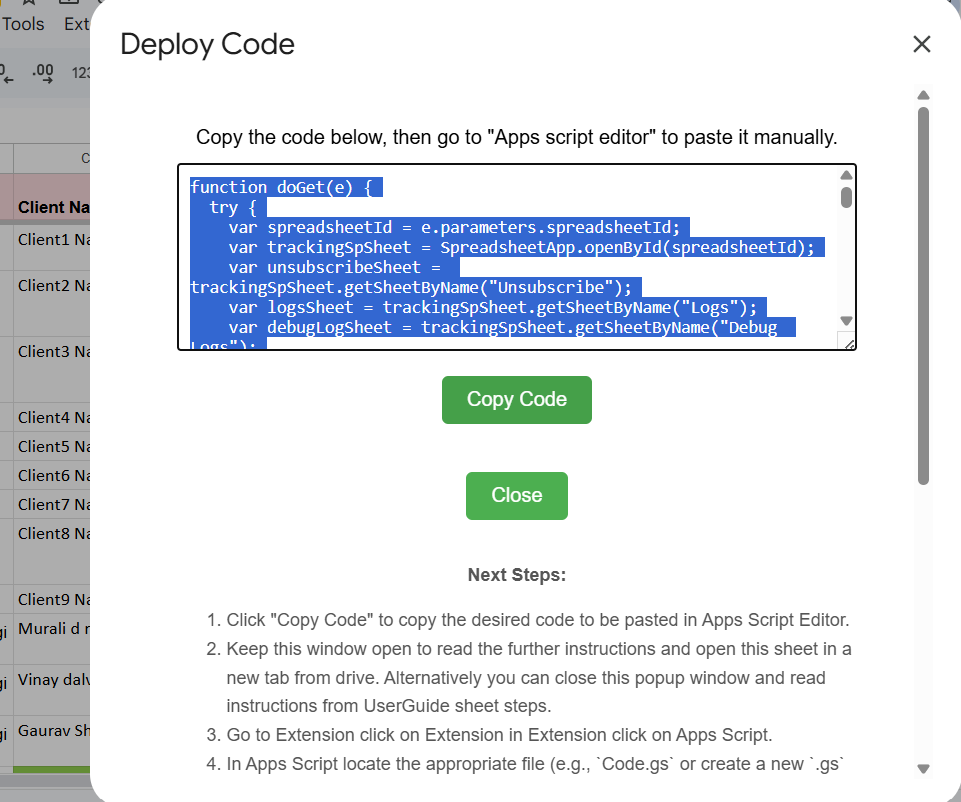
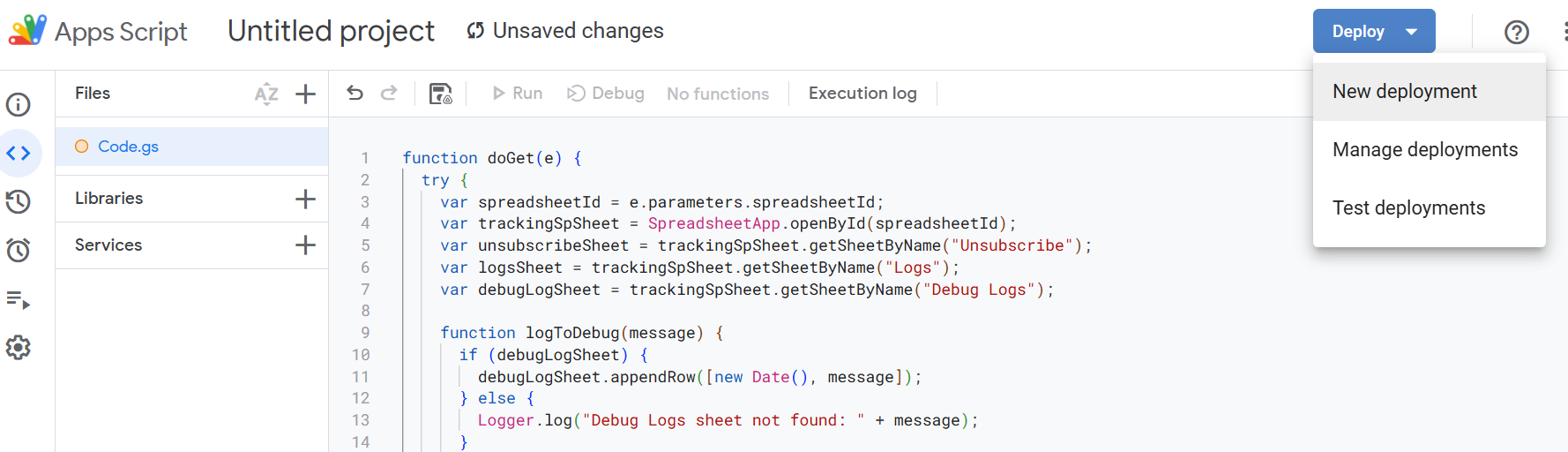
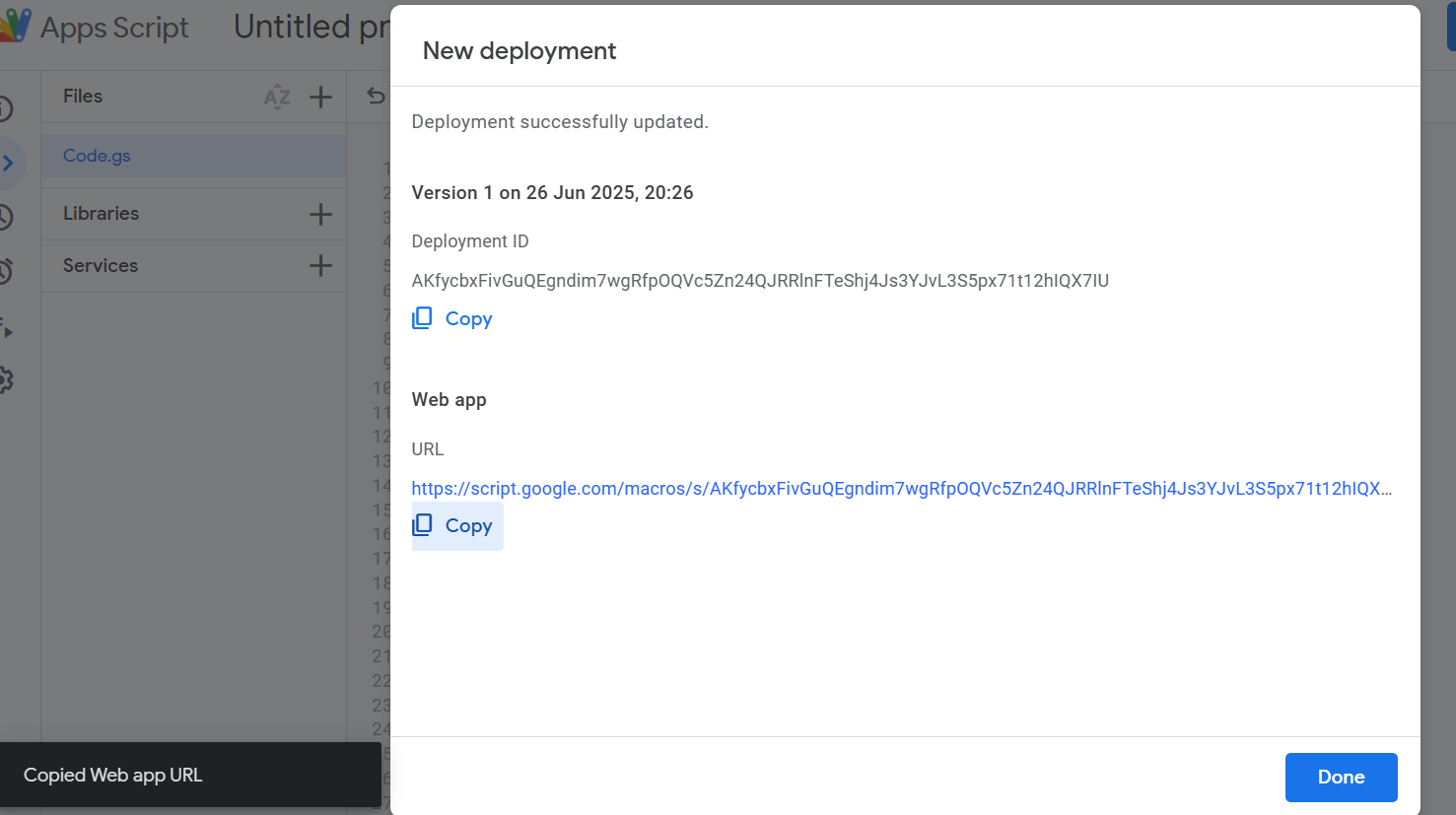
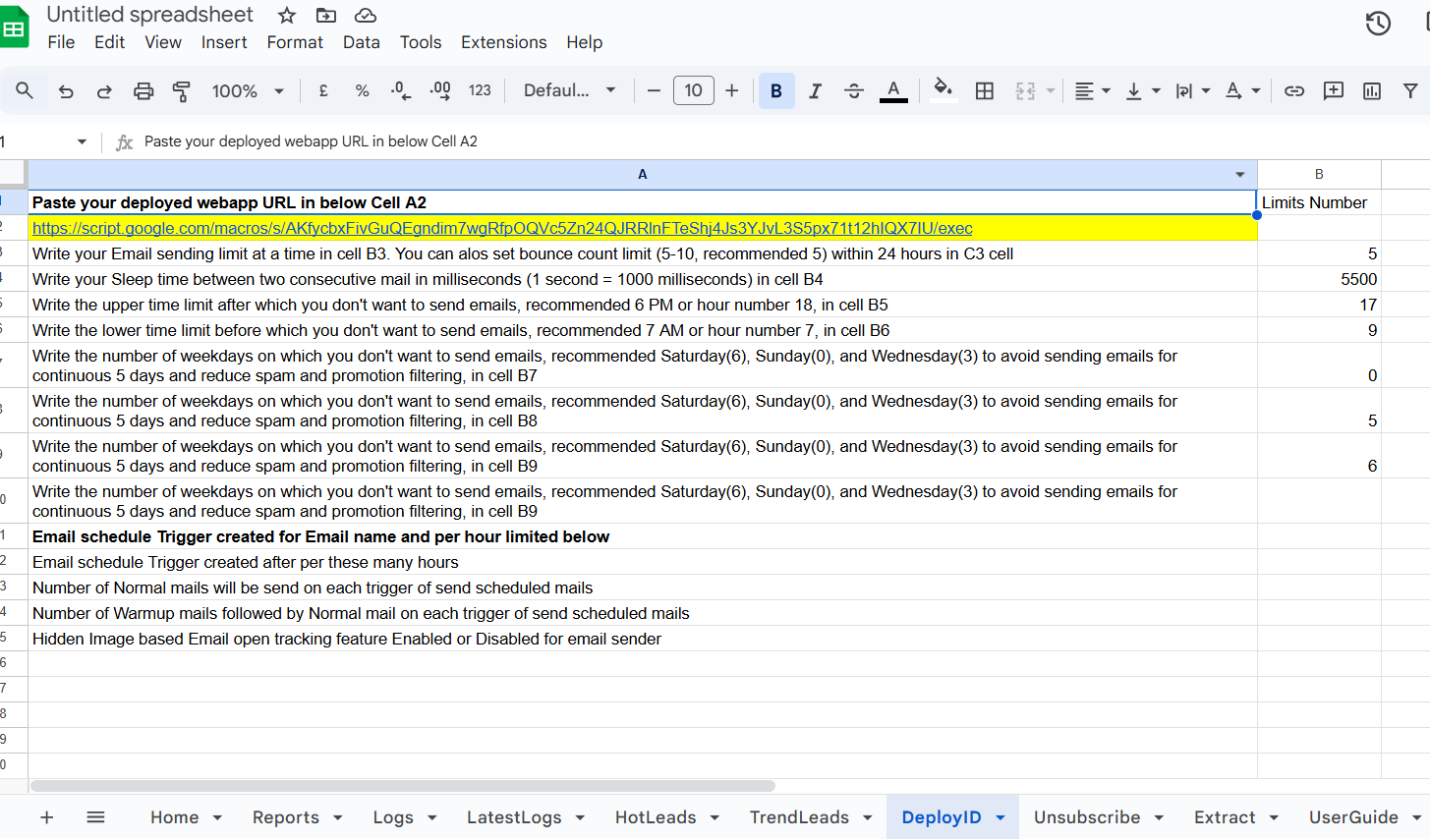
Step 3: Setup Tracker WebApp
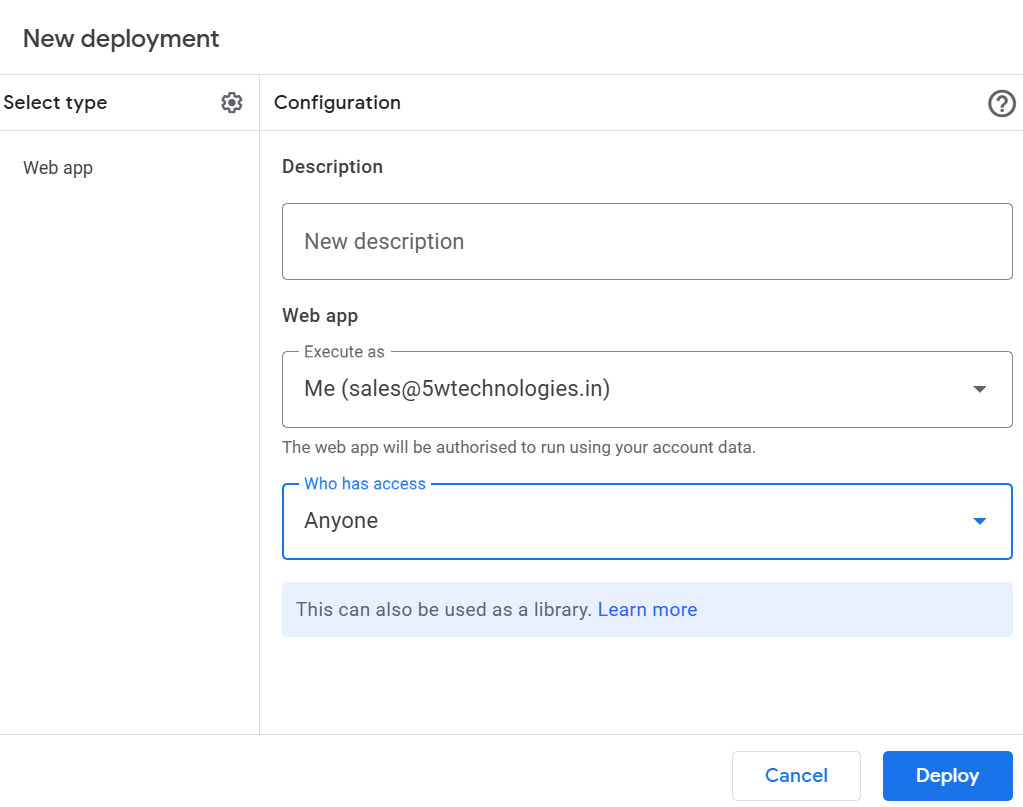
Press Ctrl + A then Ctrl + V to paste. Save with Ctrl + S. In Apps Script, click Deploy > New deployment.
- Type: Web app
- Execute as: Me
- Access: Anyone
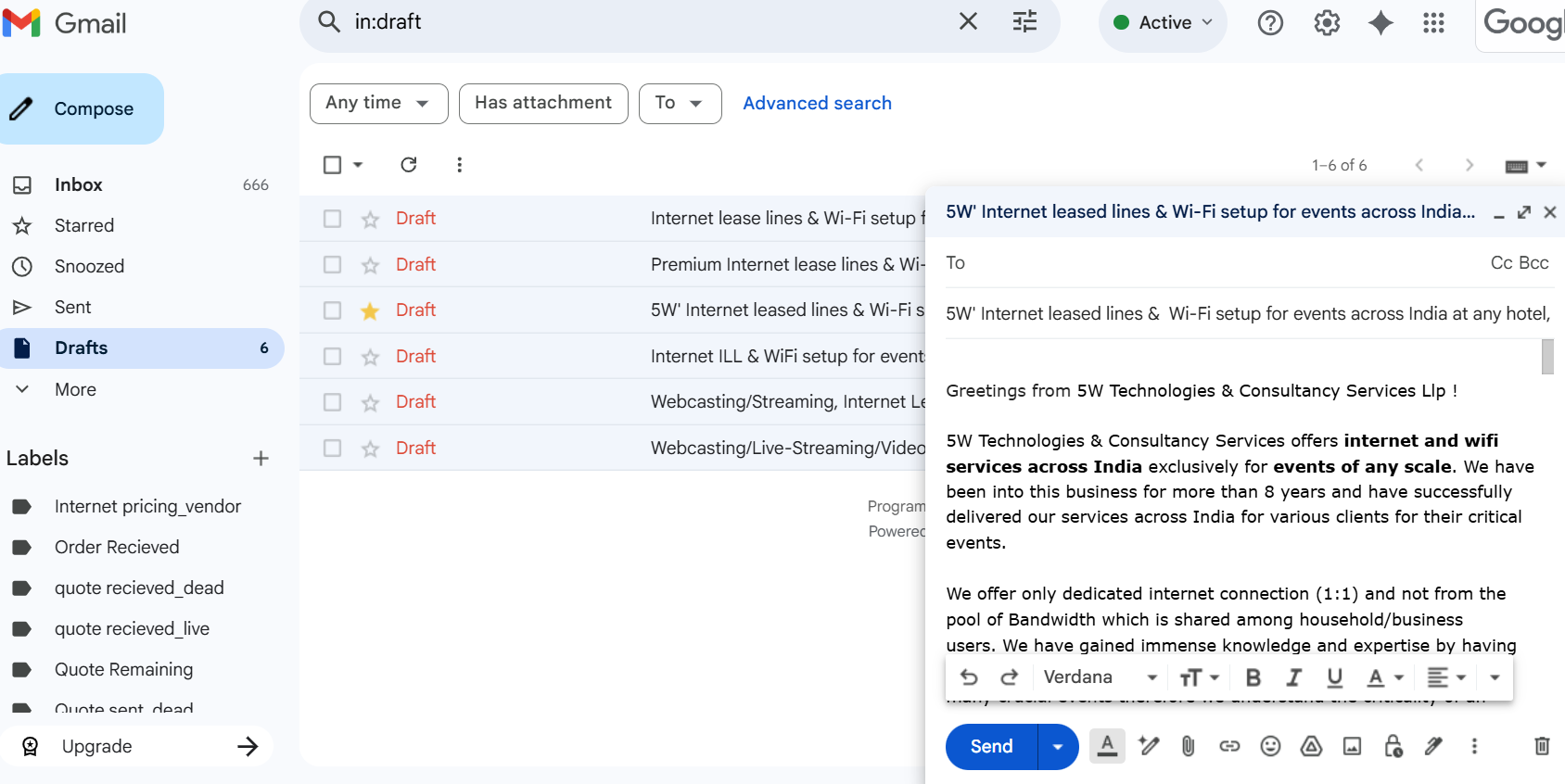
Step 4: Create Draft and Starred it
This selected Starred Draft will be used in all email send functions.
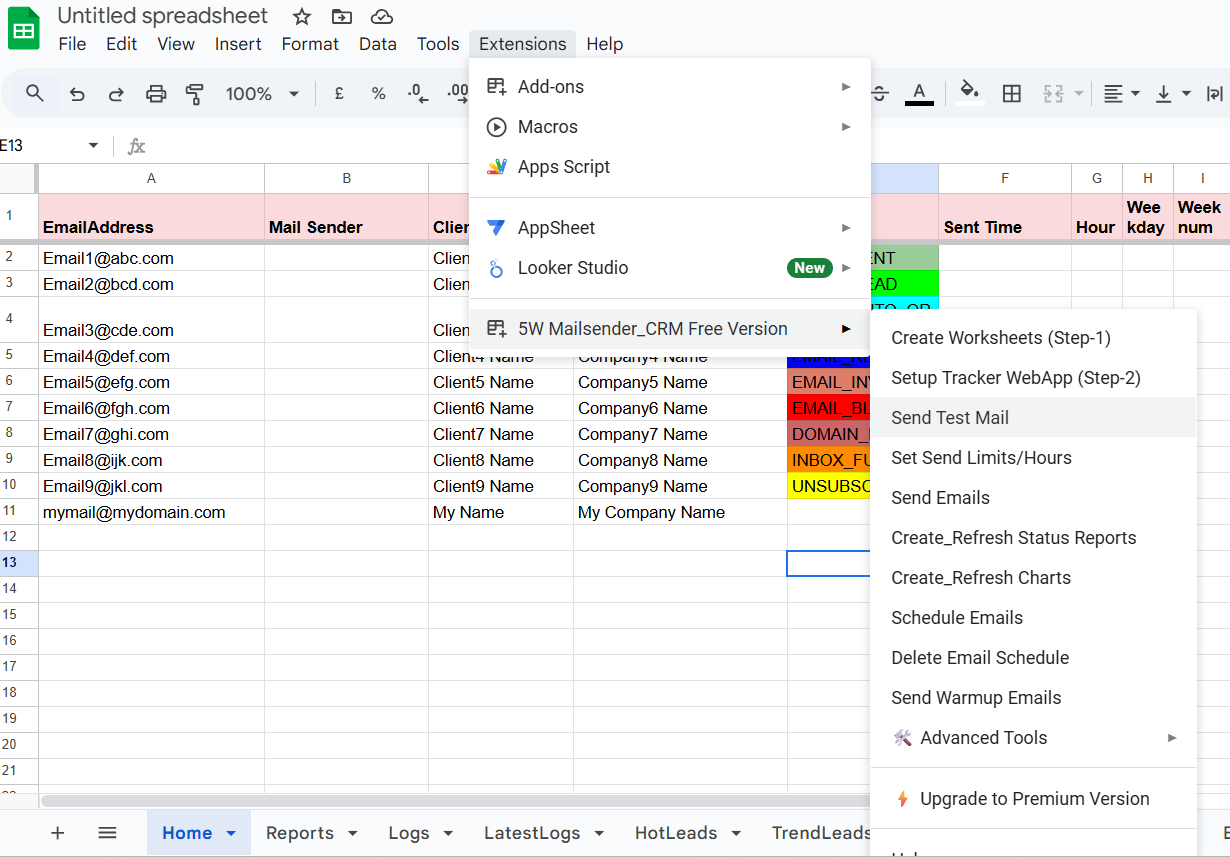
Step 5: Send Testmail
Go to Extensions > 5W Mailsender CRM > Send Test.
Open the mail from your Inbox or Sent folder and check the open log in the Logs/Latest Logs sheet.
Click on Received and Subscribed links in the email to verify logging in the Unsubscribed sheet.
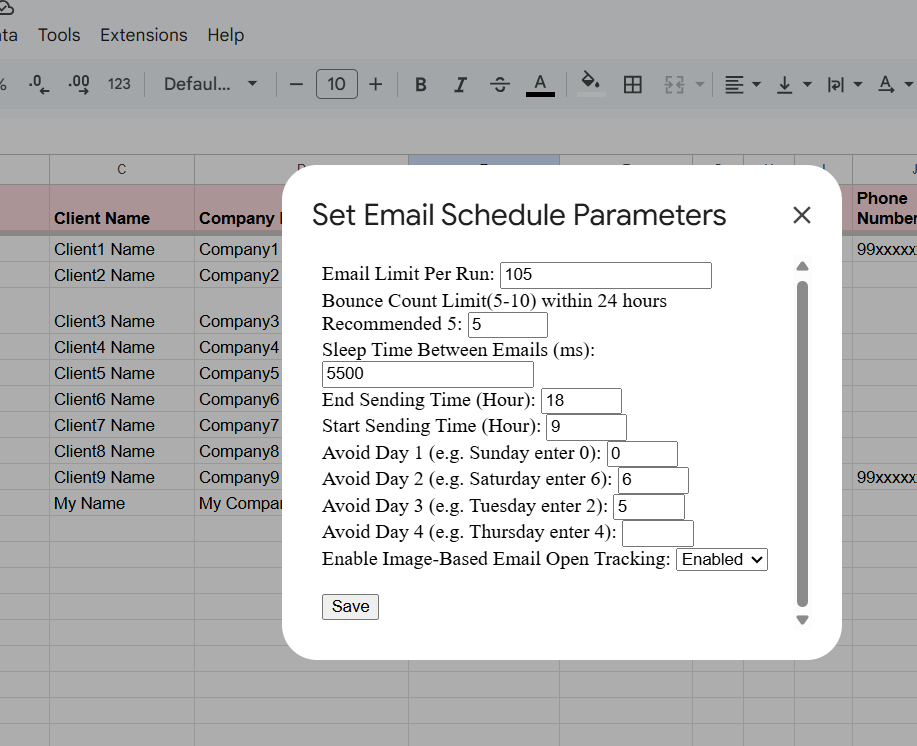
Step 6: Set Send Limit, Email Time and Weekdays Limits
- Email send limit at a time
- Email Start and End time window
- Max allowed Bounce mails per day
- Restricted days you don’t want to send emails
You can verify your set limits in the DeployID sheet.
Enjoy sending emails anytime using Send Email!
5W Mailsender CRM Features
Webcasting
We offer Webcasting/ livestreaming services like Youtube Live, Facebook Live, Instagram Live, Twitter-Periscope Live, Live on your website etc.
Web/ Video Conference
Two way streaming/ Web conference/ Video conference with external camera setup for your multiple location two way communication event.
Internet for Events
Premium dedicated internet lease lines of 10 Mbps to 5 Gbps at any Hotel, Office, Ground or any venue across India with manpower support exclusively for event of any scale.
WiFi/LAN Distribution
Bandwidth distribution by creating WiFi Zone(s) using enterprise grade Access Points & Servers to cover any size of area/guests and on LAN setup exclusively for event of any scale.
Audio-Video Production
High quality AV production setup using industry best HD video cameras with highly experienced and professional camera and audio team to cater event of any scale.
Wedding Livestreaming
Complete solution to Live stream wedding and other religious rituals using HD video cameras and cost effective Air to connect Internet using Multisim bonding device.
Email Tracking
Track when your emails are opened, and links are clicked with smart analytics in your CRM dashboard.
Automated Follow-up
Set follow-up rules and automatically resend messages to contacts based on conditions and time delays.
Contact Management
Manage, filter, and segment your contacts for highly personalized campaign performance.
Email Scheduler
Plan and send your emails at the right time based on recipient time zones or engagement metrics.
Campaign Analytics
Analyze performance, open rates, bounce rates, and CTR for continuous campaign improvement.
Integrations
Seamless integration with Google Sheets, Gmail, and CRM tools to streamline your email workflow.
Pricing
Free
$0
- All basic features included
- Open, click & response tracking
- Unsubscribe & bounce tracking
- Scheduling
- No branded footer
- Up to 70 recipients / day
- 1 user
- Best effort support
Personal
$3 /month
$36 billed annually
- All basic features included
- Open, click & response tracking
- Unsubscribe & bounce tracking
- Scheduling
- No branded footer
- Up to 400 recipients / day
- 1 user
- Priority support
Professional
$5 /month
$60 billed annually
- All basic features included
- Open, click & response tracking
- Unsubscribe & bounce tracking
- Scheduling
- No branded footer
- Up to 1,500 recipients / day
- 1 user
- Priority support
Team - Basic
Coming Soon
- Multi-user team access
- Shared templates
- Admin controls
Team - Plus
Coming Soon
- All Basic Team features
- Advanced analytics
- Team scheduling
Team - Pro
Coming Soon
- Everything in Plus
- Dedicated support
- API integrations
Contact Support
Registered Office: L-0706, Fusion Homes, Tech Zone-4, Greater Noida, Gautam Buddha Nagar, Uttar Pradesh, Pincode-201306;
Corporate Office: 303, Helix-C, Unnathi Gardens, Thane West, Maharahtra 400606
Email:
itsupport@5wtechnologies.in
Call:
+91 8369694951